


Lifetime Unlimited Access
Unlock 15,000+ premium items forever. One payment, no renewals!
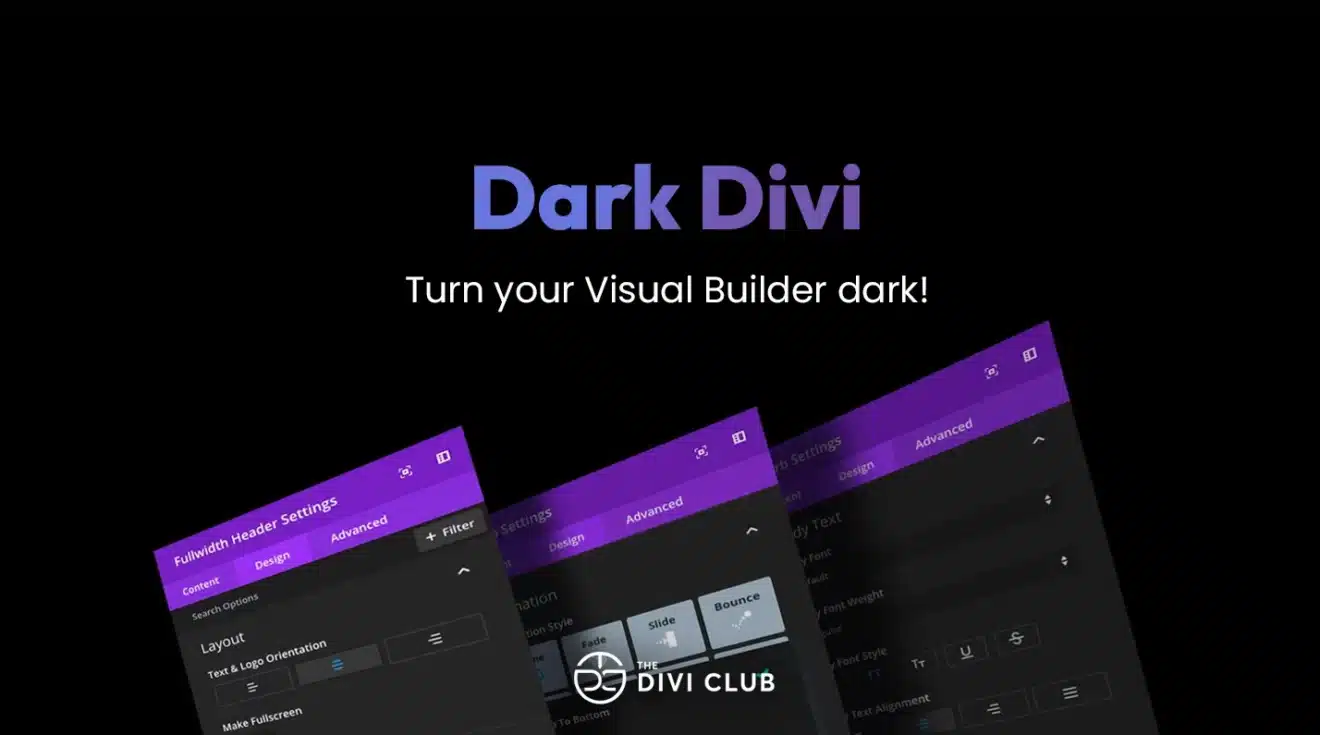
Dark Divi
Dark Divi – Dark Mode Plugin for Divi Builder Dark Divi is a WordPress plugin designed to bring a dark mode experience to Divi-powered websites. It allows users to enjoy a darker interface while working with the Divi Vis...
Licensed & Distributed under GNU GPL
Completely authentic, open-source, and fully compliant with the GNU General Public License (GPL). We guarantee legal redistribution rights, aligning with the same foundational license governing the WordPress ecosystem.
Pristine Source Files
Directly retrieved from official developer distributions without any modifications. Our releases are 100% pristine, meaning absolutely no nulled code, hidden backdoors, or injected tracking scripts.
GNU License Obligations
We strictly follow the open-source mandate. All licensing attributions remain intact, and we fully honor your rights to study, modify, and redistribute the software as permitted by GPL.
Autonomous Platform
BanglaDock operates as an independent resource repository. We are not associated with, endorsed by, or affiliated with the original software authors or trademark holders. All brand trademarks remain the property of their respective owners.
Verify Open-Source File Safety
WordPress plugins, themes, and core systems are released under the GNU General Public License (GPL). This license explicitly protects the freedom of users to redistribute, reuse, and modify the source code. BanglaDock operates in absolute compliance with these legal terms to give you a safe, legal experience.
Learn more about your GPL rightsDark Divi – Dark Mode Plugin for Divi Builder
Dark Divi is a WordPress plugin designed to bring a dark mode experience to Divi-powered websites. It allows users to enjoy a darker interface while working with the Divi Visual Builder, creating a more comfortable and visually appealing environment for website design.
Inspired by modern dark interfaces such as macOS Mojave and Adobe Creative Suite, Dark Divi transforms the traditional bright Divi editing environment into a darker workspace. This can be particularly useful for designers and developers who spend long hours building and customizing WordPress websites.
The plugin focuses on improving visual comfort, reducing screen brightness, and creating a distraction-free design environment. Its dark interface provides a stylish alternative to the standard Divi Builder appearance while allowing users to maintain their existing website design workflow.
Dark Divi is especially useful for freelancers, web designers, agencies, and developers who regularly work with Divi. Whether you are creating landing pages, business websites, portfolios, or complex layouts, a dark editing environment can make extended design sessions more comfortable.
If you prefer working with dark-themed applications and want a similar experience inside Divi, Dark Divi offers a straightforward solution without requiring complicated manual styling.
The Divi Club+1
Key Features
-
Dark mode interface for the Divi Visual Builder.
-
Modern dark-themed editing environment.
-
Inspired by macOS Mojave and Adobe Creative Suite.
-
Designed to improve visual comfort during long editing sessions.
-
Helps create a distraction-free workspace.
-
Stylish alternative to the standard Divi Builder interface.
-
Suitable for professional Divi design workflows.
Best For
-
Divi WordPress users.
-
Freelance web designers.
-
WordPress developers.
-
Creative agencies.
-
Users who prefer dark-themed applications.
-
Professionals who spend extended hours working with Divi Builder.
Important Notes
-
Designed specifically for the Divi editing environment.
-
It is primarily a dark-mode enhancement for the Visual Builder, not a complete frontend dark-mode solution for website visitors.
-
Requires a compatible Divi environment.
-
Check the developer's documentation for installation and compatibility details.
Final Verdict
Dark Divi is a useful productivity-focused plugin for Divi users who prefer a darker editing workspace. Its simple purpose makes it a practical addition for designers and developers looking for a more comfortable Visual Builder experience.
Official Resources
 Live Preview
0 Reviews for this product
No customer reviews yet. Be the first to review this product!
No comments yet. Start the conversation!


Wordpress Plugin Collection
Overview Highlights

Unlimited Downloads From ৳1,550/Year
Unlock instant access to all products
- +11,000 premium plugins & themes
- Includes GNU Lifetime License
- Instant Direct One-Click Downloads
- Original, Untouched & Clean Files
- Regular Updates & Fresh Releases