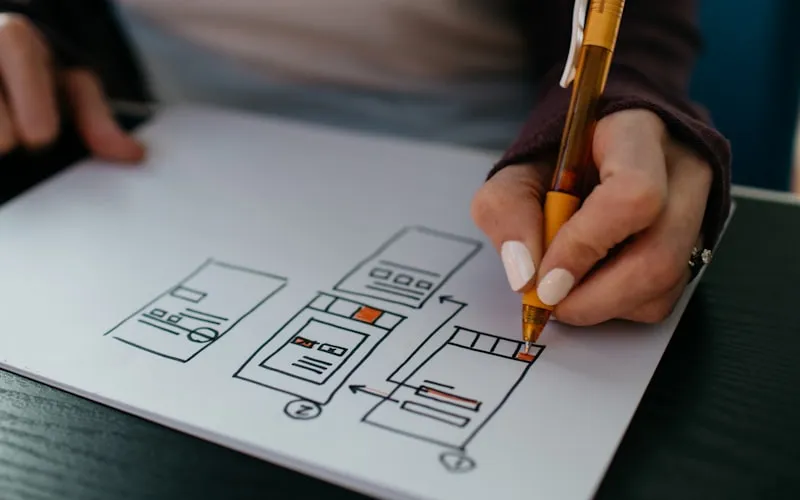
Unlocking Web Design Potential with Elementor Free
In the expansive world of WordPress site building, Elementor stands out as a transformative tool. While Elementor Pro offers an advanced suite of features, the Elementor Free version itself is a powerhouse, providing an intuitive drag-and-drop interface that empowers millions to craft stunning, professional websites without writing a single line of code. For developers, designers, and business owners alike, understanding the full capabilities and nuances of Elementor Free is key to maximizing its potential.
This guide dives deep into the free version, exploring its core functionalities, practical use cases, common challenges, and expert best practices. Whether you're a seasoned developer looking for quick prototyping or a small business owner building your first online presence, Elementor Free offers a robust foundation.
Core Features and Capabilities of Elementor Free
The free version of Elementor is far from basic. It provides a comprehensive set of tools essential for effective page building:
- Drag-and-Drop Editor: The cornerstone of Elementor, this visual editor allows you to design pages by simply dragging widgets onto your canvas and arranging them. It's incredibly intuitive and provides instant feedback on your design choices.
- Fundamental Widgets: Elementor Free includes a solid collection of widgets for common web elements. These include headings, text editors, images, videos, buttons, spacers, dividers, icons, Google Maps integrations, and shortcode functionality. These widgets are sufficient for creating a wide array of page layouts.
- Responsive Editing: Crafting a website that looks impeccable on any device is non-negotiable today. Elementor Free offers dedicated responsive editing controls, allowing you to adjust layouts, typography, and element visibility for desktop, tablet, and mobile views.
- Basic Template Library: While Elementor Pro boasts an extensive library, the free version still provides access to a selection of pre-designed templates and blocks. These can serve as excellent starting points, accelerating your design workflow.
- Section and Column Structure: Elementor organizes content into sections, columns, and widgets. This hierarchical structure provides a flexible framework for designing complex layouts while maintaining order and responsiveness.
- Global Colors & Fonts: Although limited compared to Pro, Elementor Free allows you to set basic global colors and fonts, helping maintain brand consistency across your site without repetitive manual adjustments.
Real-World Use Cases for Elementor Free
Despite being free, Elementor's capabilities lend themselves to a surprising variety of projects:
- High-Converting Landing Pages: Quickly design and launch compelling landing pages for marketing campaigns, lead generation, or product launches. The drag-and-drop interface makes A/B testing variations straightforward.
- Custom Blog Post Layouts: Move beyond the default WordPress editor to create visually rich blog posts with custom sections, embedded media, and unique typography.
- Small Business Websites: Build professional websites for local businesses, showcasing services, contact information, and image galleries. From a simple online brochure to a more interactive presence, Elementor Free handles it well.
- Portfolio and Resume Sites: Artists, photographers, writers, and freelancers can craft engaging online portfolios to display their work elegantly.
- Simple E-commerce Storefronts: When integrated with WooCommerce, Elementor Free can be used to design custom product pages and basic shop layouts. For those looking to set up an electronics store, a theme like Machic – Electronics Store WooCommerce Theme can be a perfect companion, leveraging Elementor for layout customization. Similarly, for businesses requiring robust payment solutions, a theme such as Repay | Payment Gateway WordPress Theme offers a solid foundation that can be enhanced with Elementor Free.
Extending Elementor Free with Essential Addons
While powerful on its own, Elementor Free truly shines when paired with well-chosen third-party addons. These plugins introduce new widgets, template kits, and functionalities that bridge the gap between free and premium features. For instance, tools like CrocoBuilder offer a comprehensive suite of plugins and themes designed to work seamlessly with Elementor, significantly expanding your design possibilities without requiring a full Elementor Pro upgrade. When selecting addons, prioritize performance, compatibility, and active development to ensure a stable and secure website.
Troubleshooting Common Elementor Free Issues
Even with its user-friendly interface, you might encounter occasional hiccups. Here are some common issues and their solutions:
- Elementor Editor Not Loading/Stuck: This is frequently caused by server resource limits, plugin conflicts, or outdated software.
- Solution: Increase PHP memory limit (e.g., to 256M or 512M) in your
wp-config.phpfile. Deactivate other plugins one by one to identify conflicts. Ensure WordPress, Elementor, and your theme are all updated to their latest versions. Clear your browser cache and try accessing the editor in incognito mode.
- Solution: Increase PHP memory limit (e.g., to 256M or 512M) in your
- Widgets Not Appearing or Functioning Correctly:
- Solution: Check Elementor's "Tools" settings for "Regenerate CSS & Data" and click the button. Clear any caching plugins you have installed. If using third-party addons, ensure they are compatible with your Elementor version.
- Styling Conflicts with Theme: Sometimes, your theme's CSS might override Elementor's styles.
- Solution: In Elementor's settings, go to "Advanced" and try the "Switch Editor Loader Method" option. Alternatively, use Elementor's "Custom CSS" feature (if available via an addon) or your theme's custom CSS panel to apply more specific styles.
- Slow Editor Performance:
- Solution: Optimize images before uploading them. Avoid using too many complex animations or excessive widgets on a single page. Ensure your hosting environment meets Elementor's recommended requirements.
Common Mistakes to Avoid When Using Elementor Free
To ensure a smooth and efficient workflow, be mindful of these pitfalls:
- Over-Reliance on Too Many Addons: While addons are great, installing too many can lead to performance issues, conflicts, and security vulnerabilities. Choose only essential addons from reputable sources.
- Ignoring Responsive Design: Don't design solely for desktop. Always check and optimize your layouts for tablet and mobile devices using Elementor's responsive controls.
- Poor Image Optimization: Large, unoptimized images are a primary cause of slow loading times. Compress images before uploading them to WordPress.
- Neglecting Caching: Without a proper caching strategy (e.g., using a caching plugin), your Elementor-built pages can load slowly for visitors.
- Expecting Pro Features: Understand the limitations of the free version. Don't waste time trying to replicate advanced features like custom headers/footers or dynamic content without the Pro version or a robust addon solution.
Best Practices for Optimizing Your Elementor Free Website
Building a beautiful website is only half the battle; ensuring it performs well is equally important. Here are best practices:
- Prioritize Performance:
- Image Optimization: Use tools to compress images (JPEG for photos, PNG for graphics with transparency) before uploading.
- Caching: Implement a robust caching plugin to serve static versions of your pages, significantly reducing load times.
- Minification: Minify CSS and JavaScript files to reduce their size.
- Clean Code: While Elementor generates code, avoid excessive nesting of sections or columns where simpler structures suffice.
- Regular Updates: Keep WordPress, Elementor, your theme, and all plugins updated. This ensures security, compatibility, and access to the latest features and bug fixes.
- Backup Your Site: Regularly back up your entire WordPress site. This is your safety net against any unexpected issues or updates gone wrong.
- Leverage Global Settings: Make the most of Elementor Free's global font and color settings to maintain a consistent brand identity efficiently.
- Accessibility Considerations: Design with accessibility in mind. Use appropriate heading structures, ensure good color contrast, and provide alt text for all images.
- SEO Best Practices:
- Semantic HTML: Use heading widgets (H1, H2, H3) correctly to structure your content for search engines.
- Alt Text for Images: Always add descriptive alt text to your images within Elementor for better SEO and accessibility.
- Page Speed: As mentioned, optimize performance. Page speed is a ranking factor.
- For a deeper dive into optimizing your site's potential, consider reading our article on Maximizing Your Potential and Unlock Your Potential for comprehensive strategies.
When to Consider Elementor Pro or Other Premium Solutions
While Elementor Free is incredibly capable, there will be instances where its limitations become apparent. If you find yourself needing:
- Custom header/footer builders
- Dynamic content capabilities (e.g., displaying custom fields)
- Advanced form widgets
- WooCommerce Builder for complete store customization
- More extensive template libraries and blocks
- Pop-up Builder, Theme Builder, or custom CSS for every element
Then, upgrading to Elementor Pro or exploring other premium WordPress solutions might be a logical next step. However, for a vast majority of static websites, landing pages, and content-rich blogs, Elementor Free offers an unparalleled entry point into professional web design.
Conclusion
Elementor Free is a testament to the power of open-source development and accessible web design. It provides a robust, intuitive platform for creating visually appealing and functional WordPress websites without any upfront cost. By understanding its features, applying best practices, and avoiding common mistakes, you can build a strong online presence that meets your needs and impresses your audience. For those seeking clean, secure premium GPL WordPress themes and plugins to further enhance their Elementor projects, BanglaDock offers a curated selection of resources to elevate your web development journey.
সচরাচর জিজ্ঞাসিত প্রশ্নাবলী (FAQ)
What are the main limitations of Elementor Free compared to Elementor Pro?
Elementor Free provides core page building functionalities, including a drag-and-drop editor, basic widgets, and responsive editing. Elementor Pro expands on this with advanced features like the Theme Builder (for custom headers, footers, and archive pages), dynamic content, a vast template library, custom forms, WooCommerce Builder, pop-up builder, and more advanced widgets and design controls. Essentially, Pro offers deeper site-wide customization and more complex functionalities.
Can I build an e-commerce website using Elementor Free?
Yes, you can build a basic e-commerce website using Elementor Free in conjunction with the WooCommerce plugin. Elementor Free allows you to design custom product pages and some shop elements using its basic widgets. However, for full control over your shop, cart, checkout, and account pages, Elementor Pro's WooCommerce Builder features offer much greater flexibility and advanced design options. For specific niches, themes like Machic – Electronics Store WooCommerce Theme or Repay | Payment Gateway WordPress Theme can provide a strong foundation.
How can I improve the performance of my Elementor Free website?
Improving performance involves several key steps. First, optimize all images by compressing them before uploading. Second, implement a caching plugin (e.g., WP Super Cache, LiteSpeed Cache) to serve static content. Third, ensure your WordPress installation, Elementor, and all plugins/themes are kept up-to-date. Finally, consider your hosting environment; a reliable host with sufficient resources is crucial for optimal speed and responsiveness.